Knowledge Graph
The graph index extracts entities (vertices) and relations (edges) from documents, complementing the vector index: vectors recall by semantic similarity, graphs organize by entity relations — good for multi-hop questions ("which policies cover the department of A's product lead").
Generating a Graph
Graphs are extracted per document, consuming tokens of the base's ingest model. Two entry points:
| Entry | Where |
|---|---|
| Check "Graph" | The index dialog when importing |
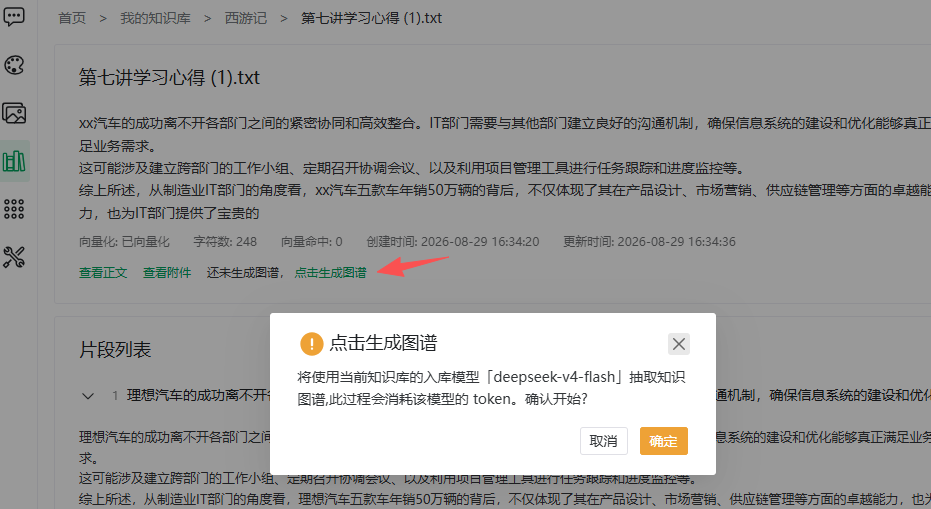
| "Click to generate graph" | The segment management page's document card |
Using the segment page:
- Click "Click to generate graph";
- The confirmation names the model (translated): "The knowledge graph will be extracted using the base's ingest model '{model}'; this consumes that model's tokens. Start?";
- Status shows extracting (background task) and refreshes on completion.
Viewing the Graph
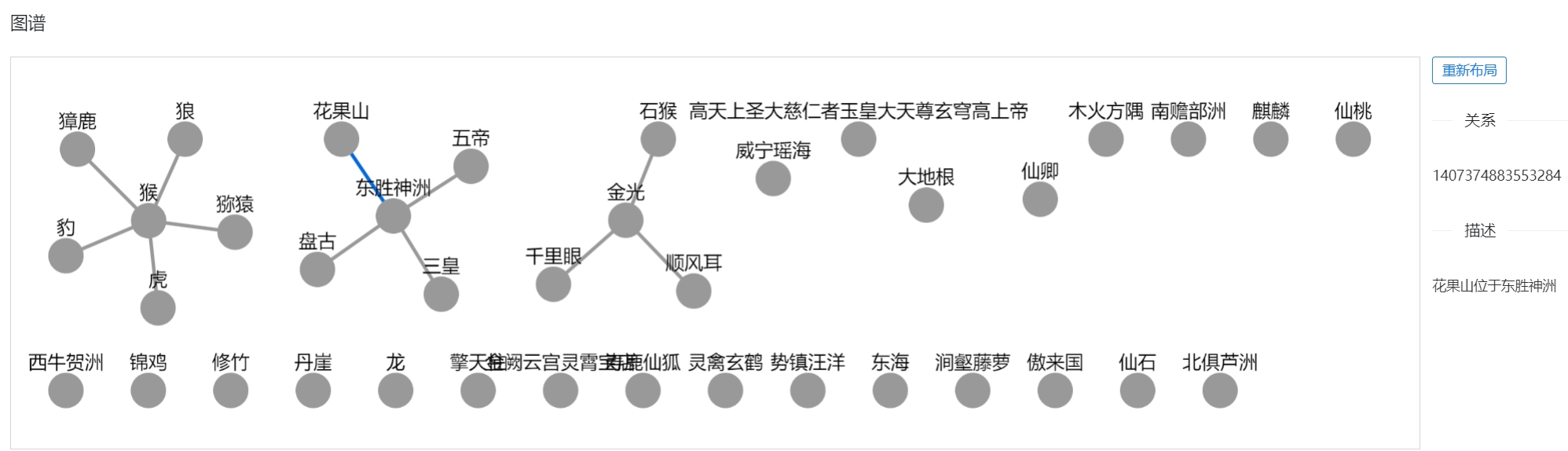
- Click View graph from the segment management page;
- The canvas shows vertices and relations;
- Large graphs load in pages: "Vertices {loaded}/{total}, relations {loaded}/{total}" with a Load more button; Re-layout re-arranges the canvas;
- Other states show hints ("extracting, refresh later" or "no graph data yet").
Graph Citations in Answers
After asking against a base with a graph index:
- Click the Graph button under the answer;
- The dialog shows the graph fragments referenced (entities with name/description, relations).
Characters linked to the base support this too. Together with Citations (hit segments) this fully traces the answer — see Chat Window · Memory & Citations.
Maintenance Notes
WARNING
Graphs do not auto-update with body edits: after switching segmentation mode or editing the body, re-extract manually, or answers keep citing the old graph.
- Disabling a segment deletes its graph footprint; re-extract after re-enabling if needed (see Segment Management);
- Graph cost scales with document length — prioritize entity-dense material (org structures, product specs, policy clauses); narrative text is fine with vectors only.
Previous: Segment Management · Next: Knowledge Base Q&A