Segment Management
Open via Details in the document list. The document card sits at the top; below it one of three lists depending on the segmentation mode.
Document card: summary, vector status, character count, vector hits and times, plus three entries:
| Entry | Description |
|---|---|
| View body | Read-only dialog for a quick look without leaving the page |
| Edit | Jumps straight to the document edit page (body editing and its linked semantics live there) |
| View attachment | Preview the uploaded file |
| Generate / view graph | "Graph not generated yet — click to generate" before extraction; View graph after (see Knowledge Graph) |
| Rebuild Vectors / Rebuild Graph | Recompute vectors from existing segments (segment and Q&A-pair content untouched) / re-extract the graph — see Import Documents · Full Rebuild |
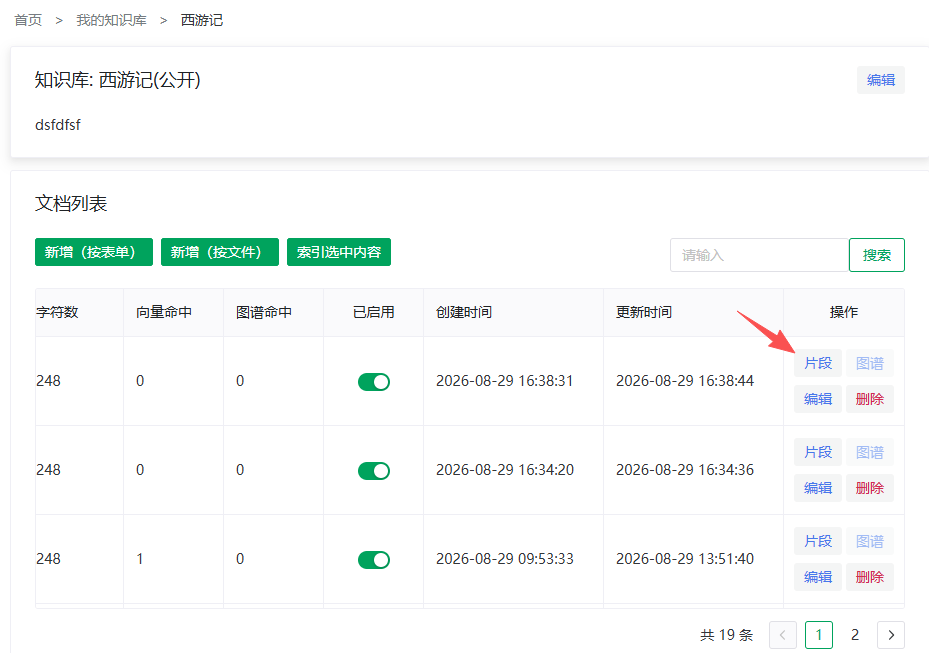
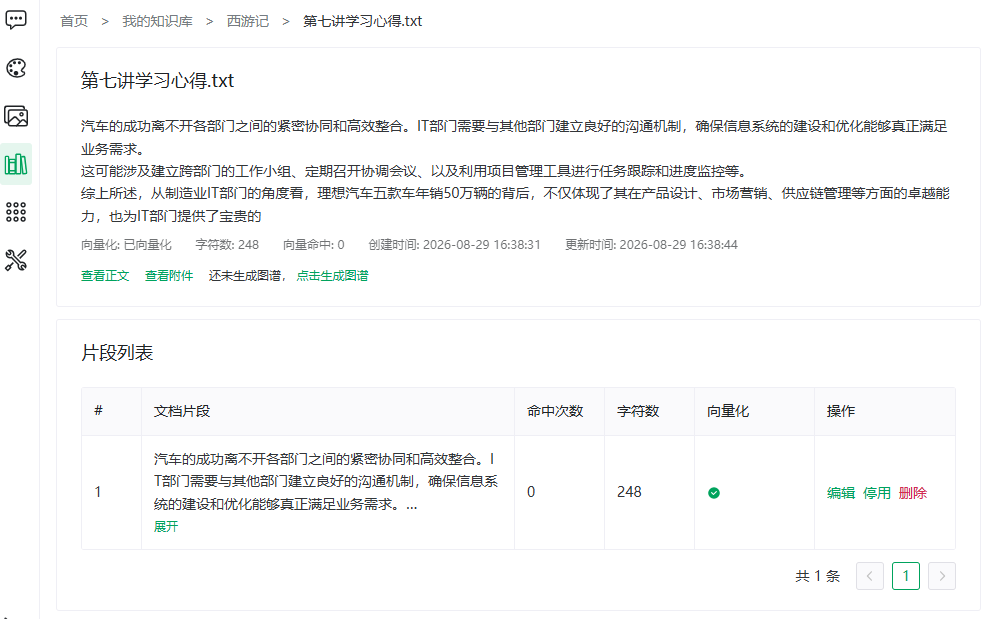
The segment management page shows the list and actions matching the document's segmentation mode — plain, Q&A and parent-child are document-level properties (segmentation parameters all come from the knowledge base's segmentation settings; the two-level relation: Overview · Segmentation Settings vs Segment Mode); how to choose: Overview · Three Segmentation Modes.
Segmentation Mode 1: Plain Segmentation
Columns: #, segment text (folded to 3 lines, expandable), hit count, character count, status, actions.
| Action | Description |
|---|---|
| Edit | Modify the text; saving re-vectorizes automatically ("Saved, re-vectorizing") |
| Disable / Enable | See below |
| Delete | Remove the segment and its vectors |
Segmentation Mode 2: Q&A Segmentation
Header buttons: Add Q&A pair, Import Q&A pairs (file append), AI generate / regenerate. Row actions and formats: Q&A Import & Generation.
Segmentation Mode 3: Parent-Child Segmentation
Parents are the top-level chunks, children are sub-chunks; children match precisely, the parent is returned as context.
| Action | On | Description |
|---|---|---|
| Edit parent | Parent | Modify parent content |
| Disable / Enable parent | Parent | Same as segment toggling, applied to the parent and its children |
| Delete parent | Parent | Deletes the parent and all its children (including vectors) |
| Re-split children | Parent | Deletes all children and their vectors and re-splits from the parent's current content |
| Add / edit / delete child | Child | Maintain a single child |
WARNING
Re-splitting children overwrites manually added or edited children; make sure the parent content is final first.
Enabling/Disabling Segments (All Modes)
Segments (and parents, pairs) can be toggled individually — a way to "take content offline temporarily". Confirmation texts differ by graph status (translated):
| Action | Document graphed | Document not graphed |
|---|---|---|
| Disable | Disabling will delete the segment's generated vectors and graph data. Disable? | Disabling will delete the segment's generated vector data. Disable? |
| Enable | Enabling will regenerate the segment's vectors and graph data (graph extraction consumes model quota). Enable? | Enabling will regenerate the segment's vector data. Enable? |
TIP
Disabling and re-enabling costs extra work (vectors and graph are deleted then rebuilt). To take a whole document offline, use the document list's Enabled switch instead.
Vector Repair & Failure Retry (All Modes)
- Missing vector: when a segment is flagged, the confirmation reads (translated): "This item's vector does not exist in the vector store (may not match the status shown). Rebuild the vector?" — confirm to repair;
- Full rebuild (document-card buttons): same semantics as failure retries (existing segments are reused), but always available instead of failure-only (see Import Documents · Full Rebuild);
- Index failures: the bottom failure panel lists recent failure reasons per dimension (vector / graph) with three retries: re-vectorize / re-graph / re-vectorize and re-graph; an empty pair list offers AI generate instead;
- While retrying, "Indexing: {dims}" shows and the page polls every 3 seconds.
NOTE
Failures are mostly file-parsing issues or model timeouts. Occasional failures: just retry. Repeated failures: check the file (scanned PDFs) and model availability.
Previous: Q&A Import & Generation · Next: Knowledge Graph